
Compare lite, full, ultra, and off
| Setting | Behavior | When to consider it |
|---|---|---|
| lite | Carry out the request and briefly point out a smaller option. | You want a gentle scope check while retaining the requested direction. |
| full | Apply the complete minimal-change guidance; the default. | You want active inspection and reuse before new implementation. |
| ultra | Challenge parts of the requested scope more actively. | You are willing to revisit whether the requested work is needed. |
| off | Disable the Ponytail behavior in a supported integration. | You need to pause it or compare a session without its behavior. |
Off is a disabled state, not a fourth optimization technique. A stronger level is not a guarantee of better output. Requirements that protect users, preserve data, or satisfy the task remain requirements at every active level. The definitions are grounded in the fixed-version SKILL.md.
Choose a level for the task
Use full as a starting point for a narrow change in a project with established helpers. State the behavior to preserve and ask the agent to inspect existing code before introducing a new abstraction. If the task is deliberately implementing a new interface or a required architectural layer, say so explicitly.
Lite fits a task where you want the requested implementation but welcome a brief note about a simpler route. Ultra fits an exploratory planning conversation where assumptions and future-facing features can be challenged. If the project has a fixed external contract, give that contract up front rather than hoping the level will infer it.
For troubleshooting, change one factor at a time. Keep the task, model, starting files, and tools constant while changing the level in a separate session. Do not treat an informal comparison as a benchmark. A fair measurement also records failures and checks correctness; use the reproduction protocol if you intend to publish results.
Set the default for future sessions
The upstream resolves the default in this order: PONYTAIL_DEFAULT_MODE, then the shared configuration file's defaultMode, then full. Valid default values are off, lite, full, and ultra. Review is a separate command or internal state, not another default level.
{ "defaultMode": "lite" }Merge this property into an existing configuration; do not overwrite unrelated settings. The shared user configuration path is:
- If
XDG_CONFIG_HOMEis set:$XDG_CONFIG_HOME/ponytail/config.json. - Otherwise, on macOS or Linux:
~/.config/ponytail/config.json. - Otherwise, on Windows:
%APPDATA%\ponytail\config.json.
This is shared user configuration, not a separate default file invented for each host. A stale environment variable can override a file edit. Inspect both if a fresh session keeps starting at an unexpected level. Source: upstream configuration resolution.
Use the command format for your host
| Action | Claude Code name | Purpose |
|---|---|---|
| Level | /ponytail lite | Change the current session's behavior level. |
| Review | /ponytail-review | Review changes with the skill's guidance. |
| Audit | /ponytail-audit | Examine the codebase more broadly. |
| Debt | /ponytail-debt | Work with deferred items. |
| Gain | /ponytail-gain | Show the author's benchmark scoreboard. |
| Help | /ponytail-help | Read usage help. |
Codex uses namespaced plugin skills, for example $ponytail:ponytail-review. Copilot CLI also uses a plugin namespace, for example /ponytail:ponytail-review. Use each host's skill discovery and the upstream command table rather than rewriting punctuation by guesswork.
Cursor hooks process supported level messages such as /ponytail full as ordinary message text. That is not a promise that Cursor has the full review/audit command suite. A rules-only installation provides instructions without these plugin commands.
Gain shows upstream benchmark data; it is not a meter of the code, tokens, time, or money your current project saved. Claude Code-specific band/board features also have their own host requirements, described in the upstream 5.3 feature notes.
Distinguish a session switch from a saved default
An ordinary level change such as /ponytail lite applies to a supported current session. New hook-initialized sessions read the configured default. Do not infer that trying ultra once changes all future conversations.
The Cursor hooks contract separately documents /ponytail default <level> as a persistent configuration action. That is an integration-specific behavior; the shared JSON setting and environment variable above are the general reference for this guide. See the Cursor behavior contract.
Likewise, a static project rule continues to be instruction text even when another integration is set to off. Check which source loaded before assuming the toggle controls it. Keep one deliberate delivery path and record the default before experimentation so you can restore it.
Keep the six-step decision ladder in context
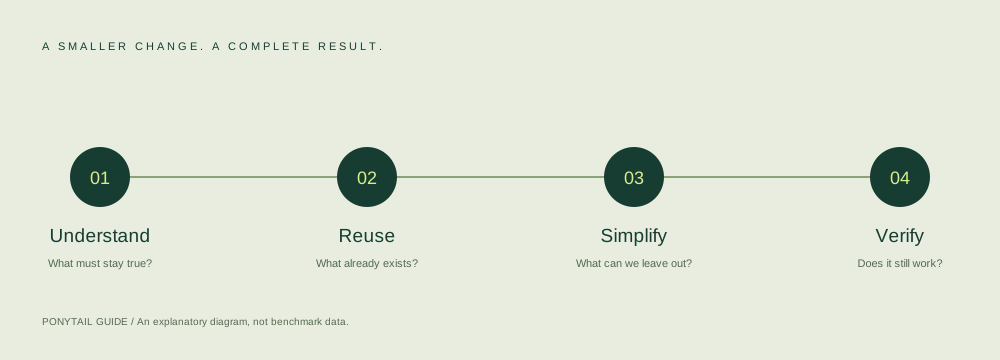
The checked SKILL.md has six numbered stages: ask whether the change is needed, inspect what the project already has, consider standard-library or platform capabilities, consider installed dependencies, prefer a readable small expression where appropriate, then write the smallest necessary implementation. Some upstream artwork separates library and platform capabilities visually; that does not change the six numbered stages in the source text.
The goal is a complete change with less avoidable complexity. Error handling that protects data, input validation at a trust boundary, and accessible interaction are not expendable decoration. Use the limitations and overrides when a task needs more structure than a superficially shorter solution.
Find a starting level
This recommendation changes this page only. It does not configure your coding agent.
Start with full, the documented default. Use your host's instructions to apply it.
Maintained by the Ponytail Guide editorial team. Found an outdated command or a factual error? Send a correction. Do not include secrets or private code.